
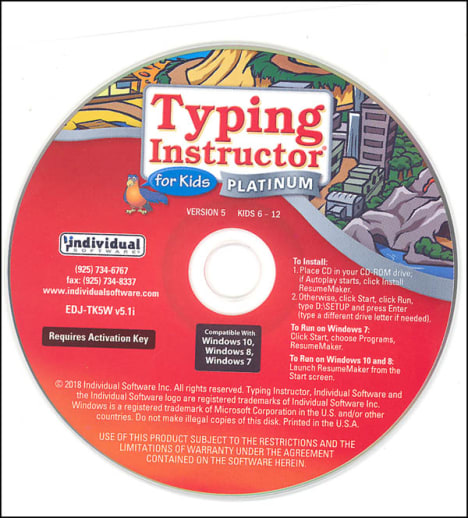
This version of Typing Instructor for Kids is a physical CD-ROM and comes in a paper sleeve, not a box. System requirements for Windows: Pentium® P4 • Microsoft® Windows® 10, Windows 8, Windows 7, or XP • 480 MB Hard Disk Space • CD-ROM Drive • 800 x 600, 16-Bit or Higher Display • 16-Bit Sound Card • Speakers or Headphones • Mouse
Typing Instructor for Kids Platinum 5.0 Windows in paper sleeve
SKU
049847
Grade PK-8
Neutral
Low Teacher Involvement
Multi-Sensory
Sequential
These icons are designed to help you quickly understand and learn important information about our products.
Teaching Method
Traditional
Teacher-centered curriculum commonly used in classrooms that may include a text, teacher manual, tests, etc.
Charlotte Mason
A methodology based on the work of a 19th century educator who maintained that children learn best from literature (Living Books), not textbooks.
Classical
A methodology based on the Latin Trivium (three stages of learning), including the grammar stage (memorization and facts), logic stage (critical thinking), and rhetoric stage (developing/defending ideas).
Unit Study
A thematic or topical approach centered around one topic that integrates multiple subject areas.
Montessori (Discovery)
A methodology based on the work of a 20th century educator that emphasizes student and sensory-driven discovery learning and real-life applications.
Other
Other methodologies
Religious Content
Secular
Contains content contrary to common Christian beliefs (i.e. evolution).
Neutral
Avoids religious or theoretical topics or presents multiple viewpoints without preference.
Christian/Religious
Faith-based or including instructional religious content.
Learning Modality
Auditory
Learns through listening, talking out loud or reading out loud.
Visual
Learns through seeing, prefers written instructions and visual materials.
Kinesthetic/Tactile (Hands-On)
Learns through moving, doing and touching.
Multi-Sensory
Curriculum that employ a variety of activities/components.
Presentation
Sequential
Curriculum progresses through well-defined learning objectives. Emphasizes mastery before moving to the next topic.
Spiral
Topics and concepts are repeated from level to level, adding more depth at each pass and connecting with review.
Conceptual/Topical
Focus is on the “why,” often with a unifying concept as well as specific skills; coverage may be broader.
Teacher Involvement
Low Teacher Involvement
Student-led materials; parent acts as a facilitator.
Medium Teacher Involvement
A mix of teacher-led time and independent student work.
High Teacher Involvement
Teacher-led lessons; may utilize discussions, hands-on activities and working together.
Additional Materials Required
No other materials needed
Everything you need is included.
Other Materials Required
There are additional required resources that are a separate purchase.
Other Materials Optional
There are additional resources mentioned or recommended but are not absolutely necessary.
Consumable
Consumable
Designed to be written in; not reusable.
Non-Consumable
Not designed to be written in; reusable.
Our Price
$39.99 $39.99 $31.95
Rainbow Savings: $8.04
Description
Publisher's Description of Typing Instructor for Kids Platinum 5.0 Windows in paper sleeve
Get to the head of the class with this award-winning typing program, preferred by teachers and parents. Typing Instructor for Kids has just the right blend of features to provide an educational, entertaining, and motivating experience for young typists. Creative Typer Island theme, fast moving, arcade-style games, and educational learning plans keep you engaged as you earn rewards, play challenging games, and increase your typing skills. Learn to type in English or Spanish.
- Kids learn to type on an exciting adventure on Typer Island
- Teaches keyboard basics following an age-appropriate Typing Plan – Meets National NETS/ISTE and Common Core Standards
- Step-by-step lessons, challenges, tests, and exciting typing games motivate kids to keep typing, learn in English or Spanish
- Island adventure and rewards motivate kids to improve their typing skills
- Preferred by Teachers and Parents to teach young children to type
Island Adventure Motivates Kids to Improve Typing Skills
Typing Instructor for Kids offers rewards every step of the way! Visit distinct lands for lessons, challenges, tests, and games. Search for treasures, earn points, and add gold and jewels to your treasure box on a journey to reach the Castle and become the Ruler of Typer Island. Once you reach the Castle you will be a touch typist and can print a certificate of accomplishment!
More Adventures in the Castle & the Lost City
Once you get to the Castle, you can play new games available only in the Castle, Tomb Typer and Xtreme Typing. Make your way to the mysterious Lost City and discover Treasure Quest, a unique narrative typing game, and Ziggy, a fun typing challenge.
Ergonomics & Custom Typing Plans Help Kids Learn to Type
Step-by-Step Typing Instruction is provided, including proper posture, finger position, and ergonomic features. Visual guides show finger and key placement. Choose from one of eleven educational typing plans with seamless progression tailored for both keyboard and numeric keys and symbols.
10 Complete Typing Plans
- Learning the Home Row
- Home Row and Upper Row
- Home Row and Lower Row
- Ages 7-8
- Ages 9-10
- Games Plan
- Skill Building Plan
- Suggested Typing Plan (no games)
- Suggested Typing Plan
- Numeric Key Pad
- Structured Touch-Typing Content
- Proven Methods for Skill-Building
- Unique Drills & Interactive Exercises
- Age-Appropriate Content
- Graphic Guide Hands
- Standard & Split Keyboards
- Multi-Skill Levels
- Comprehensive Evaluation
- Timed Challenges
- Advanced Level Challenges
- Multi-Level Game Challenges
- Words per minute (WPM) Scores & Accuracy Percentages
- Results Calculated from All Activities
- Performance Assessment for Key, Finger, Hand & Row
- Printable Results
- Results Tracked for Five Typists
Creative Ways to Practice Typing
Explore five exciting lands on Typer Island on your adventure to reach the Castle. Take a break from your typing plan at any time and visit the Practice Area where you can play challenging multi-level games in the arcade on Explorer Isle, practice lessons and tests, or practice typing classic literature or fairy tales in Story Lagoon.
160 Professional Lessons & Tests
Improve your typing speed and accuracy quickly with quality lessons and tests. Repetitive key stroking helps you build correct finger-to-key memory. All lessons and tests are in English and Spanish. Results are provided for adjusted words per minute, based on both typing accuracy and speed.
30+ Typing Challenges to improve overall typing performance.
Charts on Instant Feedback for all Typing Activities
Instant Feedback is provided on typing results so you can see how you did on a lesson, challenge, test, or game right away. Detailed results show the keys you know well and the keys that need more practice.
Results are given for:
Certificates of Achievement
You can print a certificate of achievement when you reach the Castle to show you have successfully conquered Typer Island and are a Touch Typist.
Multi-Play Games Set a New Standard in Entertainment!
Entertaining and challenging typing games offer multiple ways to play games for typists of all levels. Choose the length of time, words-per-minute, and level of difficulty. Typing Instructor Platinum for Kids has over 30+ game challenges that teach specific typing skills, such as speed, accuracy, rhythm, dexterity, and retention.
30+ Game Challenges
Type the words on each pillar of the pyramid to change it to a new color before the enemies ruin your plans in Ziggy. Use your retention and typing skills to find gold and jewels in Treasures of the Sunken City. Beware of giant sea creatures in Typing with Sharks and learn to type quickly and accurately to keep your submarine intact. Improve your key stroking by zapping space debris in Flotsam Fighter. Advance to the next level or fly through the skies in Diamond Glider's rhythm typing adventure. All of Typing Instructor games have multiple levels of play to keep typing challenges fun and motivating.
System Requirements
Pentium® P4 • Microsoft® Windows® 10, Windows 8, Windows 7, or XP • 480 MB Hard Disk Space • CD-ROM Drive • 800 x 600, 16-Bit or Higher Display • 16-Bit Sound Card • Speakers or Headphones • Mouse
Category Description for Typing Instructor for Kids
Typing Instructor for Kids is a fun, story-based typing program that teaches touch-typing skills to children through an engaging island adventure. Students take a journey across Typer Island, visiting five colorful lands (Old West, On the Water, In the Air, Over the Edge, and Under the Sea) on their way to capturing the Castle. As they learn new keys, they complete exciting typing challenges and mini-games that feel more like play than practice.
Key Features of the Program
- 160 structured touch-typing lessons covering all keys on both standard and split keyboards
- 10 different typing plans tailored to different age and skill levels
- 3D animated hands and on-screen keyboard for clear visual instruction
- 30+ arcade-style games that increase in number as students make progress
- Story Lagoon with 40 familiar stories (fairy tales and classic literature) for typing practice
- Progress tracking with instant feedback on speed (words per minute) and accuracy
- Rewards, treasure, and points to keep kids motivated
- Available in English or Spanish
Two versions are available:
- Gold: The most current version with updated graphics
- Platinum: The previous edition (still excellent!)
Choose from Windows (PC), Mac, CD-ROM, or digital download. Please see individual product pages for detailed system requirements.
Typing Instructor for Kids is an award-winning program that makes learning to type enjoyable and effective. Its careful progression, high-quality animation, and game-based approach help children build solid keyboarding skills while having fun.
Browse all Typing Instructor for Kids options (Gold & Platinum) for Windows and Mac below!
Details
| Product Format: | Other |
|---|---|
| Grades: | PK-8 |
| Brand: | Individual Software |
Videos
Reviews