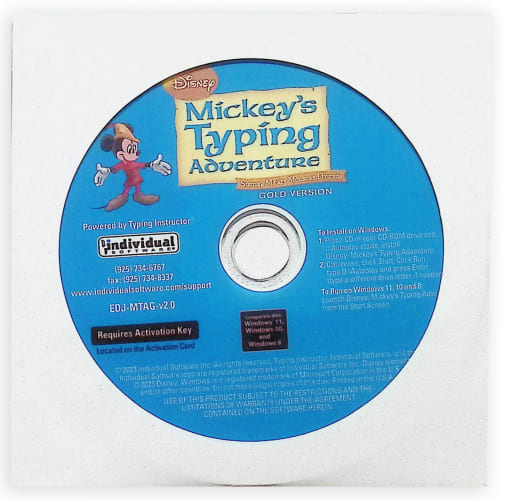
Disney Mickey’s Typing Adventure Gold is the most advanced
Typing Program available. It presents Disney’s Typing Adventure in full-screen
size and rich color with beautiful animations for the optimum typing experience
for kids. No other Typing tutorial is more motivating while educating the
learner.
Kids go on an exciting adventure in Typelandia with Mickey
Mouse and Friends. They begin their adventure in the Village where they
discover a mysterious enchantment has befallen Typelandia. Kids must learn all
the keys on the keyboard as they travel through Typelandia to free Mickey’s
friends from the enchantment. The first stop is the garden where they discover
Daisy transformed into a shrub. By learning to master the first set of keys, a,
s, l, and ; they will help free her. To do so, they take a typing lesson,
complete a challenge, and reinforce their new skills by playing a game. Upon
passing a test, Daisy is free and back to herself! Mickey’s Typing Adventure is
packed with so much fun and motivation, kids forget they are learning to type.
“Boring” is not a word you’ll hear as kids continue their Adventure in each
charming location, including The Cottage, The Wishing Well, The Big Tree, The
Mine, and finally the Palace! Mickey’s Typing Adventure is the perfect typing
solution for parents, too, as kids will not need help as they are guided
step-by-step by the Shop Keeper who travels with them in a crystal ball. He
helps kids progress through the Adventure using just the keys they have
learned.
Packed with Motivation
Kids are motivated to learn new keys, pass typing tests and
complete challenges to free Mickey and his friends from the enchantment. After
completing typing activities throughout Typelandia, the ultimate reward is
reaching the Palace. Once at the Palace, kids discover what caused the
enchantment and Mickey and his friends are free! The Palace is a fun place with
more adventures, activities, and challenging games – complete with a colorful
Fair!
Exciting Places to Visit
Kids can take a break from their typing adventure at any
time to explore Typelandia. The Arcade in the Village has an awesome game room
where kids can choose to play any of Typelandia’s games – except the exciting
bonus games only available in the Palace Arcade. They must reach the Palace to
play those games. Kids can choose to take more lessons or challenges in the
Village Academy, and they can practice their skills by typing excerpts from
favorite Disney stories like Rapunzel, Cinderella and more!
Adventurer Tools
Typelandia has several Adventurer tools to help kids to find
their way around. In the Olde Village Shop, they can take a tour to learn
everything about Typelandia! The Map helps kids see where they are on their
Typelandia Adventure, where they are going next, and what keys they will learn.
Kids can display a variety of graphs in the Saved Results area to see their
performance on all their typing activities; lessons, challenges, stories and
even games. They can see their progress and the keys on the keyboard they need
to practice.
Hours of Fun
Typelandia has unique games to keep kids interested in
learning. Games encourage repetition which builds finger-to-key memory. Before
they know it, they are well on their way to becoming Touch Typists! Games can
be played in a wide variety of ways; at varying levels of difficulty to keep
kids interested in continuing to the next level. Games can be played with just
the keys they have learned so far, or with all the keys on the keyboard.
Adventure Settings
There are a lot of choices on Typelandia. Kids can select a
Typing Plan that fits their skill level – there are 11 unique plans! They set
their goal word per minute, which can be adjusted, if needed, at any time.
PC System Requirement
Pentium® P4 • Microsoft® Windows® 11, Windows 10, or Windows
8 • 700MB Hard Drive Space • DVD-ROM Drive • 1280 x 720 16-Bit or Higher
Display Recommended • 16-Bit Sound Card • Speakers or Headphones • Mouse •
Internet Access Required for Activation.