
Typing Instructor Gold CD (Mac Version)
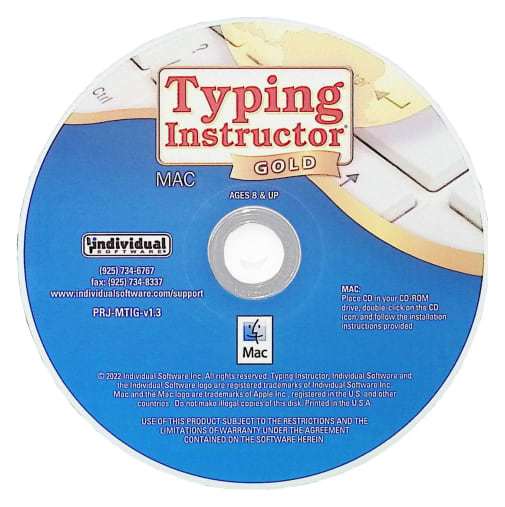
Description
Typing Instructor Gold is the most advanced Typing Program available. It presents Typing Instructor in full-screen size and rich color for the optimum Typing Instructor experience for typists. No other Typing tutorial is more entertaining and educational.
Pack your bags and get ready to go on a Worldwide Typing Adventure! Travel through time, go on Safari, or take a trip around the world as you learn to type or improve your typing skills. Typists begin their adventure in the Travel Port where they select a unique travel adventure. First stop: the prehistoric era, or Antarctica, or Australia! Each typing adventure is packed with so much fun and motivation, typists forget they are learning to type. They'll progress through the Adventure by taking lessons, tests, typing challenges and playing fun typing games using just the keys they have learned and practiced in lessons and tests. When they complete the typing activities at a destination, they'll receive a stamp in their passport. When the passport is full, they have completed the adventure and are on their way to becoming Touch Typists.
Packed with Motivation
The ultimate reward of the Adventure is completing all typing activities in the Adventure and filling their passport with stamps from each stop on their journey. Typists can take all three Adventures and visit 36 exciting destinations.
Practice Terminal
There are several fun ways to practice. Typists can take a break from their typing adventure at any time to check out the Practice Terminal. Here they'll find an arcade where they can choose to play any of Typing Instructor's games. Additional lessons and tests, not included in the adventure, are also available. Typists can also create their own custom lessons and tests. Typists can practice dictation, choosing from a library of diverse materials. They can also practice typing an article or story, choosing from hundreds of topics in the magazine rack or even create their own personal magazine.
Adventure Tools
Take the Tour to learn everything about Typing Instructor. The Travel Port shows typists where they are on their Adventure, where they are going next, and what keys they will learn. The Passport shows stamps of the places they have visited so far. Typists can display a variety of graphs in the Saved Results area to see their performance on all their completed typing activities; lessons, tests, articles, and even games. Users can see their progress and the keys on the keyboard they need to practice. Typing Instructor's Dynamic Learning feature evaluates Typist's Results to determine weak typing skill areas. Once identified, Typing Instructor automatically creates specific lessons for the typist to improve weak areas.
Hours of Fun
Typing Instructor has unique games to keep typists interested in playing. This repetitive activity builds finger-to-key memory and before they know it, they are well on their way to becoming Touch Typists! Games can be played in a variety of ways, including different levels of difficulty to keep typists interested in continuing to the next level. Games can be played with just the keys they have learned so far, or with all the keys on the keyboard.
Adventure Settings
There are many program controls in Typing Instructor. Typists can select English or Spanish and a Typing Plan that fits their skill level – there are 20 unique plans! Typists can even build their own custom plan, as well as adjusting their goal word per minute at any time.
Mac System Requirements
mac OS 10.12: Sierra to 11.2:Big Sur • CD-ROM Drive • 580 MB Hard Drive Space • 1024 X 768 Resolution • Speakers & Mouse
Typing Instructor is a popular, self-paced typing program that teaches keyboarding skills through an engaging travel adventure theme. Students begin at a travel port and “journey” around the world, earning passport stamps as they complete lessons, games, and typing tests. Colorful photos of world destinations appear throughout, making practice feel like an exciting trip rather than a chore.
Designed for ages 8 and up, the program combines structured lessons with fun, motivating activities to help students improve speed, accuracy, and confidence at the keyboard.
Key Features of the Program
- Progressive lessons that teach proper finger placement, posture, and typing technique
- Practice Center with hundreds of real-world typing exercises from books, articles, and short stories
- Arcade featuring 12 fun typing video games
- Dictation exercises and customizable practice options
- Detailed feedback on words per minute (WPM), accuracy, and progress tracking
- Helpful tools including a “How to Type” reference guide and a short history of typing
- Printable achievement certificates to celebrate milestones
Lessons and activities are available in English or Spanish. The program provides immediate feedback and allows students to work independently at their own pace.
Important Details
- Internet connection required for initial registration and activation only (not needed for daily use).
- Available for Windows (PC) or Mac, or as a dual-platform set that includes both versions.
- Software comes in a plain paper sleeve with basic installation instructions.
Typing Instructor is a great choice for homeschool families who want a motivating, game-enhanced typing program that goes beyond basic drills and keeps students engaged through a fun travel theme.
Browse all Typing Instructor options below, including single-platform and dual Mac/PC sets.
| Product Format: | Other |
|---|---|
| Grades: | 3-AD |
| Brand: | Individual Software |
| Length in Inches: | 5 |
| Width in Inches: | 5 |
| Height in Inches: | 0.0625 |
| Weight in Pounds: | 0.05 |